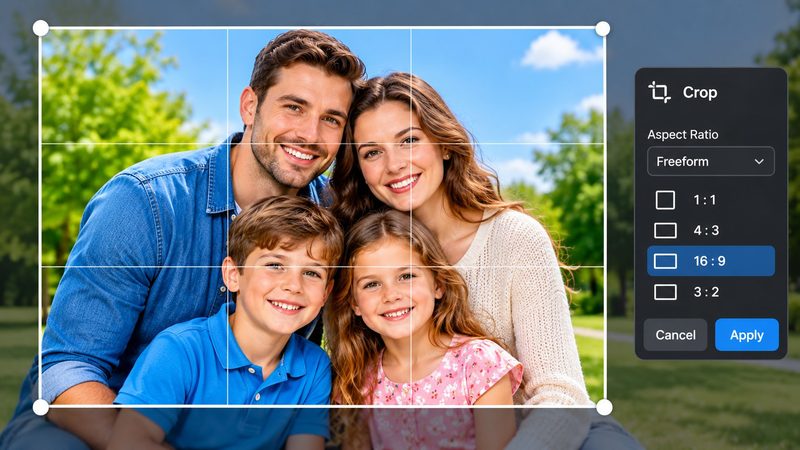
Cropping is the fastest photo fix there is: cut the distraction at the edge, reframe the subject, fit the shape a platform demands — and the photo is better in ten seconds. PixKitTools' Image Cropper does it at full resolution, free in your browser.
Crop in 3 steps
- Open the Image Cropper.
- Upload your photo and drag the crop box, or pick a preset: Free, 1:1, 16:9, 4:5 or 3:2.
- Download the cropped photo at full resolution. No signup, no watermark, and your photo is never uploaded.
Which ratio for what?
- 1:1 (square) — Instagram posts, profile pictures, thumbnails.
- 16:9 (wide) — YouTube thumbnails, slides, banners and wallpapers.
- 4:5 (portrait) — Instagram portrait posts, the tallest ratio that fills the feed nicely.
- 3:2 (classic) — the standard photo shape, best for printing.
- Free — any shape at all, when no platform is dictating the size.
Cropping tips
- Rule of thirds: put the subject on a third of the frame, not dead centre — the photo immediately feels more deliberate.
- Don't crop too tight. Leave a little breathing room around faces and heads; a crop that cuts a forehead looks like a mistake.
- Crop, don't stretch. Cropping removes pixels and keeps the rest untouched, so the subject never looks squashed.
- Keep the original. Cropping is destructive — save the cropped copy under a new name so the original stays safe.
Is it really free?
Yes. All 22 PixKitTools tools are free with no signup, no watermark and no daily limit, and everything runs in your browser.