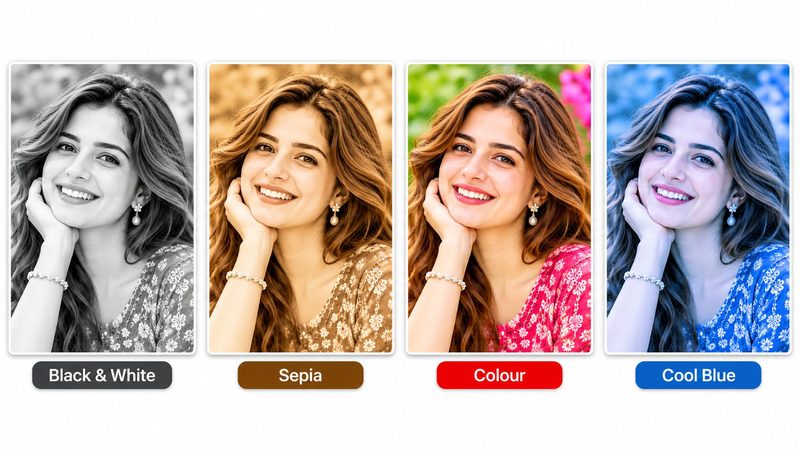
Filters are the quickest way to change a photo's mood: the same portrait can feel timeless in black and white, warm in sepia, or electric in vivid colour. PixKitTools' Photo Filters apply six classic looks in one click, free in your browser, at full resolution.
Apply a filter in 3 steps
- Open Photo Filters.
- Upload your photo.
- Pick a filter and set the intensity — then download. No signup, no watermark, and your photo is never uploaded.
The 6 looks
- Black & White — timeless and dramatic. Best for portraits, where removing colour makes the expression do the work.
- Sepia — warm brown tones, like an old photograph. Perfect for vintage and family pictures.
- Vintage — faded, warm and slightly worn, like a photo from the 1970s.
- Vivid — colours pushed brighter and bolder. Best for food, travel and nature photos that should pop.
- Fade — soft, washed-out and airy. The gentle, dreamy look of lifestyle and wedding photos.
- Cool — blue tones, calm and clean. Works beautifully for winter scenes, water and city photos.
Intensity slider tips
100% is the full effect — strong and obvious. For a natural look, try 30–50%: the photo keeps its own character with just a hint of the filter. The slider blends the filter with your original, so you can dial in exactly the mood you want instead of accepting an all-or-nothing preset.
Is it really free?
Yes. All 22 PixKitTools tools are free with no signup, no watermark and no daily limit, and everything runs in your browser.