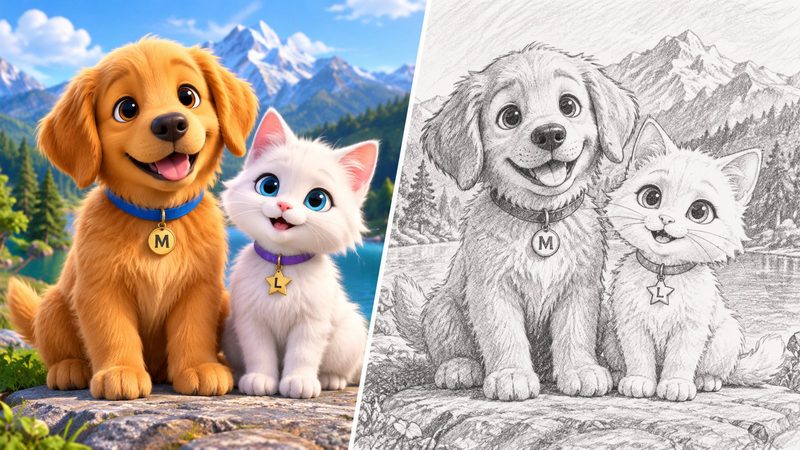
A hand-drawn sketch has a charm no filter can copy — and you don't need drawing skills to get one. PixKitTools' Photo to Sketch turns any photo into a pencil sketch, colour sketch, cartoon outline or ink line drawing in seconds, free in your browser.
The 4 sketch styles
- Pencil Sketch — a classic grey pencil drawing with soft shading. Best for portraits.
- Color Sketch — the drawing keeps your photo's real colours, like coloured pencils.
- Cartoon — bold outlines and flat colours, like a comic or sticker.
- Drawing (ink line art) — clean black lines on white, perfect for colouring pages and logos.
Turn a photo into a sketch in 3 steps
- Open Photo to Sketch.
- Upload your photo — JPG, PNG or WebP.
- Pick a style and download the result. No signup, no watermark, and your photo is never uploaded.
Tips for the best sketch
- Clear, well-lit photos sketch best. A sharp portrait with a plain background gives the cleanest lines.
- Portraits, pets, flowers and landscapes all work well. Very dark or blurry photos give muddy results.
- High-contrast photos — bright subject, darker background — produce the strongest pencil shading.
What to use sketches for
- Profile pictures and social posts with an artistic look.
- Colouring pages for kids — print the ink line-art version and hand over the crayons.
- Gifts: a sketch of a family photo, printed and framed, costs nothing and feels personal.
- Logos and stickers — the cartoon and line-art styles stay crisp at any size.
Is it really free?
Yes. All 22 PixKitTools tools are free with no signup, no watermark and no daily limit, and everything runs in your browser.